01
Exposure Bracket
Choose the shot count, exposure increment, driver, and order. Review the naming tokens and color tag before Start.
Built for Capture One on Mac. Capture One is required and sold separately.
Tutorial
Set up your Mac, assign a Capture One session, and build your first Set. With Suite, bring the same workflow to your Apple companion devices.
Quick start
Follow these steps with Capture One and Capture Companion open on your Mac.
Capture modes in action
Use the same capture modes from the Mac or mobile. Check the assigned camera and sequence settings before starting.
Choose the shot count, exposure increment, driver, and order. Review the naming tokens and color tag before Start.
Choose shots and focus step, then review Open Live View and Reset focus position when complete. Configure naming and color tag before Start. Focus behavior depends on your camera and Capture One.
Set up the plate sequence and naming before capture. Keep these supporting frames identifiable alongside the main images.
Connected Studio
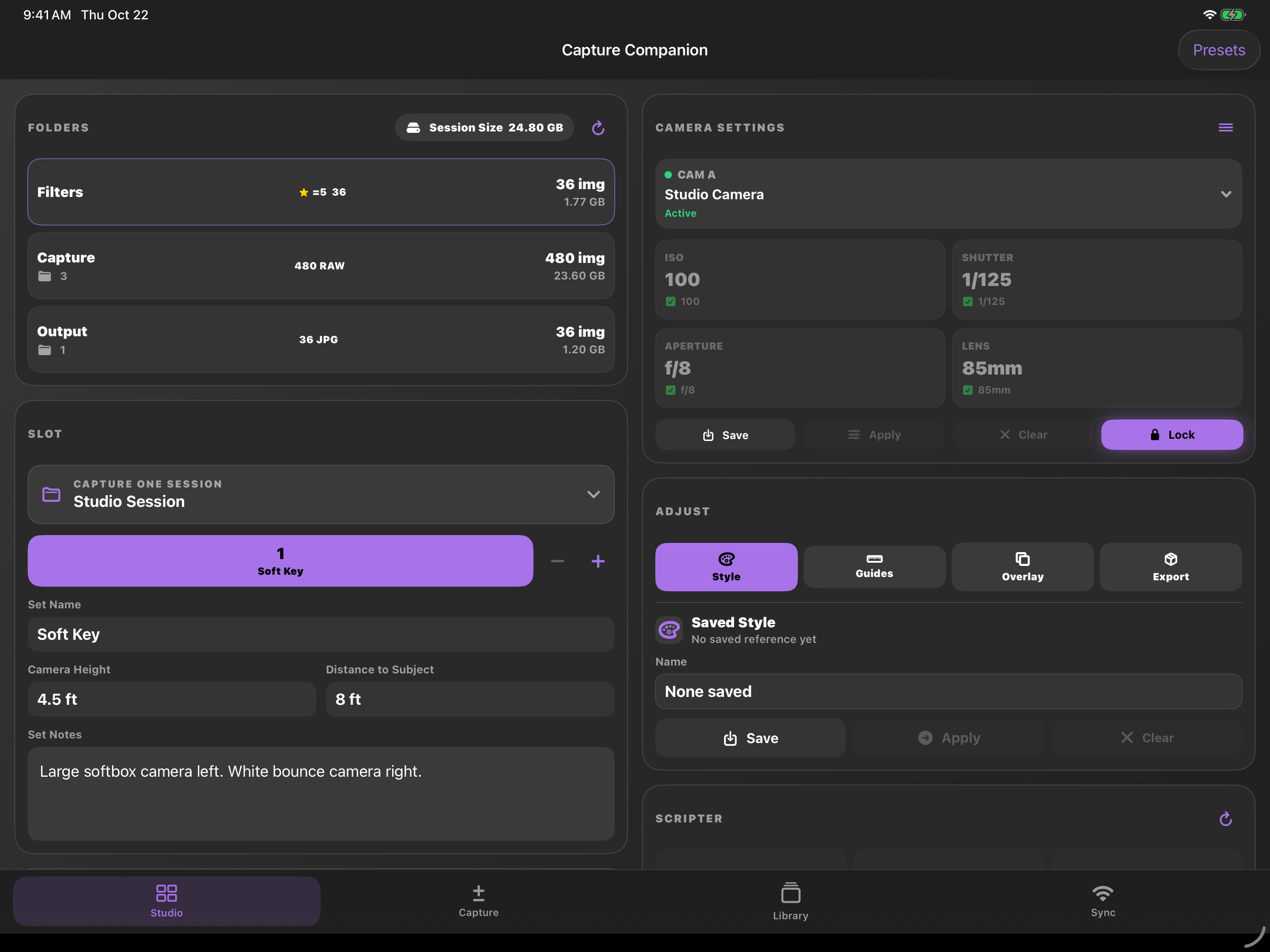
Studio brings session folders, camera settings, and set notes to iPhone and iPad. Mobile access requires an active Suite plan or trial and a connected Mac.
If something does not connect
Built for the whole shoot
Mac covers the desktop workflow. Suite adds iPhone, iPad, and Apple Watch access. Try either plan for 7 days. No card required, no automatic charges.